Connect Microsoft
Outlook mail, calendar and contacts — three connections from one consent. You register one small app with Microsoft, and Postern signs into it as you, with a scoped, revocable token. No password is ever pasted, and no secret exists anywhere.
1
Register the app
Sign in at entra.microsoft.com → App registrations → New registration. Name it anything — "Postern" is a fine name for it.
2
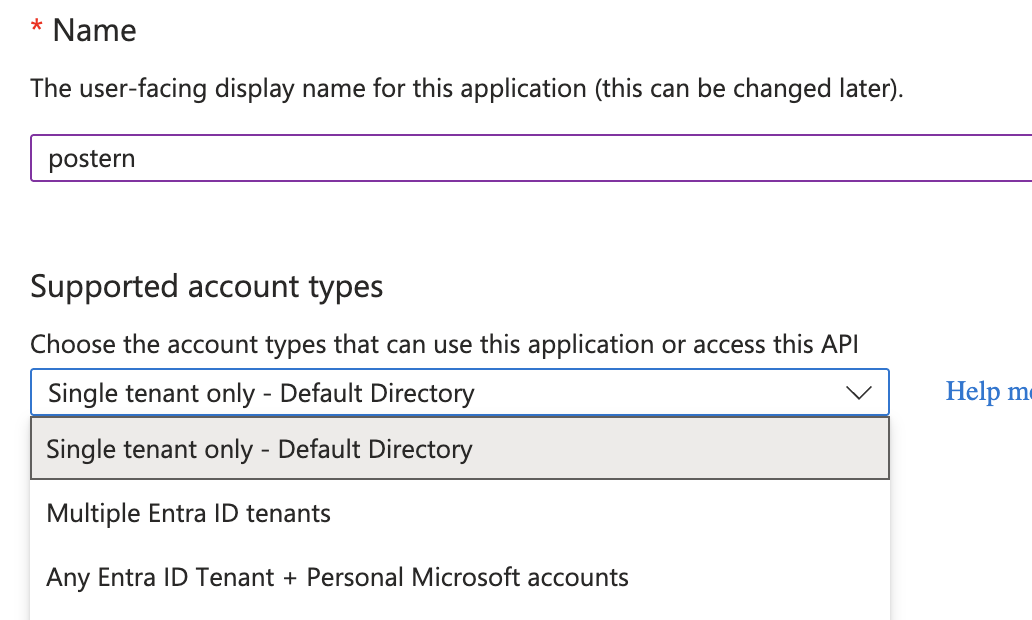
Supported account types
Under "Supported account types", choose exactly this option from the dropdown — it is what lets a personal account consent while keeping work accounts possible:
3
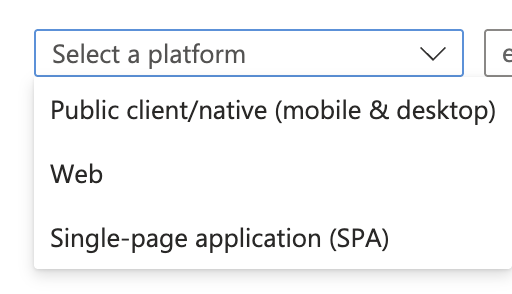
Redirect URI — the one trap on this page
In the same form, pick the platform "Public client/native (mobile & desktop)" — the platform page calls the same thing "Mobile and desktop applications". Then paste the redirect URI from your own Console's Microsoft card: open Console → Sources → Microsoft in a second tab and copy it from there. Never type it: Microsoft exact-matches the string. On a stock install it is:
4
Copy the client ID — and skip everything else
Register, then copy the Application (client) ID from the Overview page. That is the only value you need. There is no secret — Microsoft is a public client here, proven by PKCE. And unlike Google, there is nothing to add under "API permissions": Postern asks for the read scopes at sign-in, and the consent page is where you grant them.
5
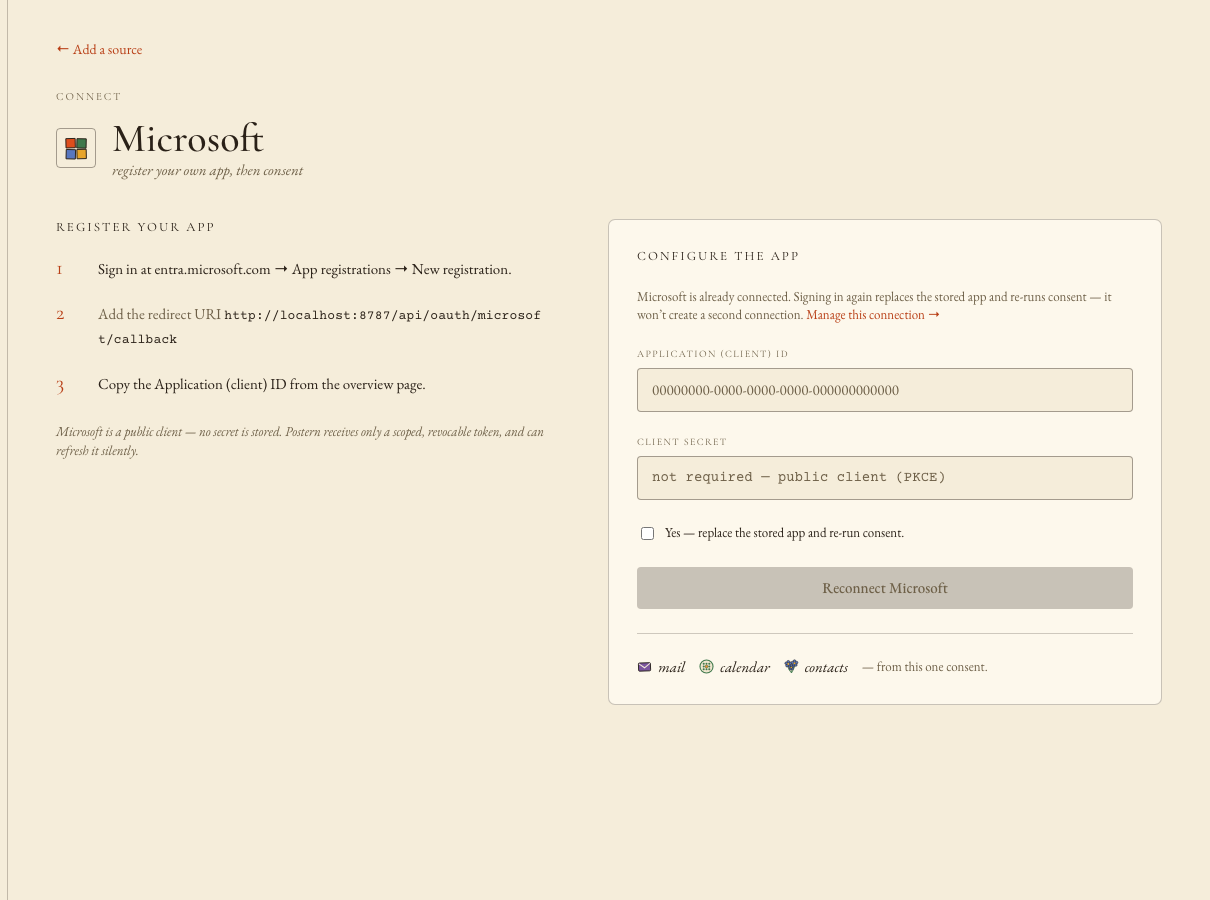
Paste into the Console, sign in, approve
Console → Sources → Microsoft → paste the client ID → "Save & sign in with Microsoft". The consent page lists exactly four things: read your mail, read your calendars, read your contacts, maintain access. Approving fans out into three connections — mail, calendar, contacts — from that one consent.
WHAT STANDS WHEN YOU FINISH
Three read-only connections, syncing on their own cadence. Any agent you have granted mail, calendar or contacts can answer from them the moment the first sync lands — and the first mail it reads will be Microsoft's own "New app(s) connected to your Microsoft account." Revoking the agent, or disconnecting Microsoft, never touches your Microsoft password — there isn't one here to touch.