Reach your gate from anywhere
Everything binds loopback until you say otherwise. Two tiers of away: your own devices over your tailnet — enough for every local harness and your phone's health pushes — and one public port on 443 for hosted clients like claude.ai. Both are opt-in, and when they are off, the gate is byte-identical to a box that never heard of them.
1
Install Tailscale, then flip the two silent switches
Tailscale goes on the gateway's box and on your devices. Then, in Tailscale's admin console — both switches live on the DNS page — turn on MagicDNS and HTTPS certificates. Everything below requires both, and both are silent when missing: the port simply never answers and no log anywhere names the cause. Know also that enabling certificates publishes the machine's name to the public Certificate Transparency ledger — name the box blandly, and never treat the name as a defence.
2
The private tier — serve your gate to your own devices
Two commands publish the ingest endpoint and the MCP edge to your tailnet only. Your phone's Apple Health automation now pushes to https://<host>.ts.net:8443/api/ingest/<connection-id>, and every agent on your own devices reaches https://<host>.ts.net:10000/mcp with its key — no public exposure of any kind. Your box's name is on the admin console's Machines page (or tailscale status). Anything only your devices need should stay on this tier forever.
Verify from another tailnet device before you move on — if neither answers at all, go back to step 1: a missing MagicDNS or certificates switch fails exactly this silently.
3
The public tier — one port on 443, for hosted clients
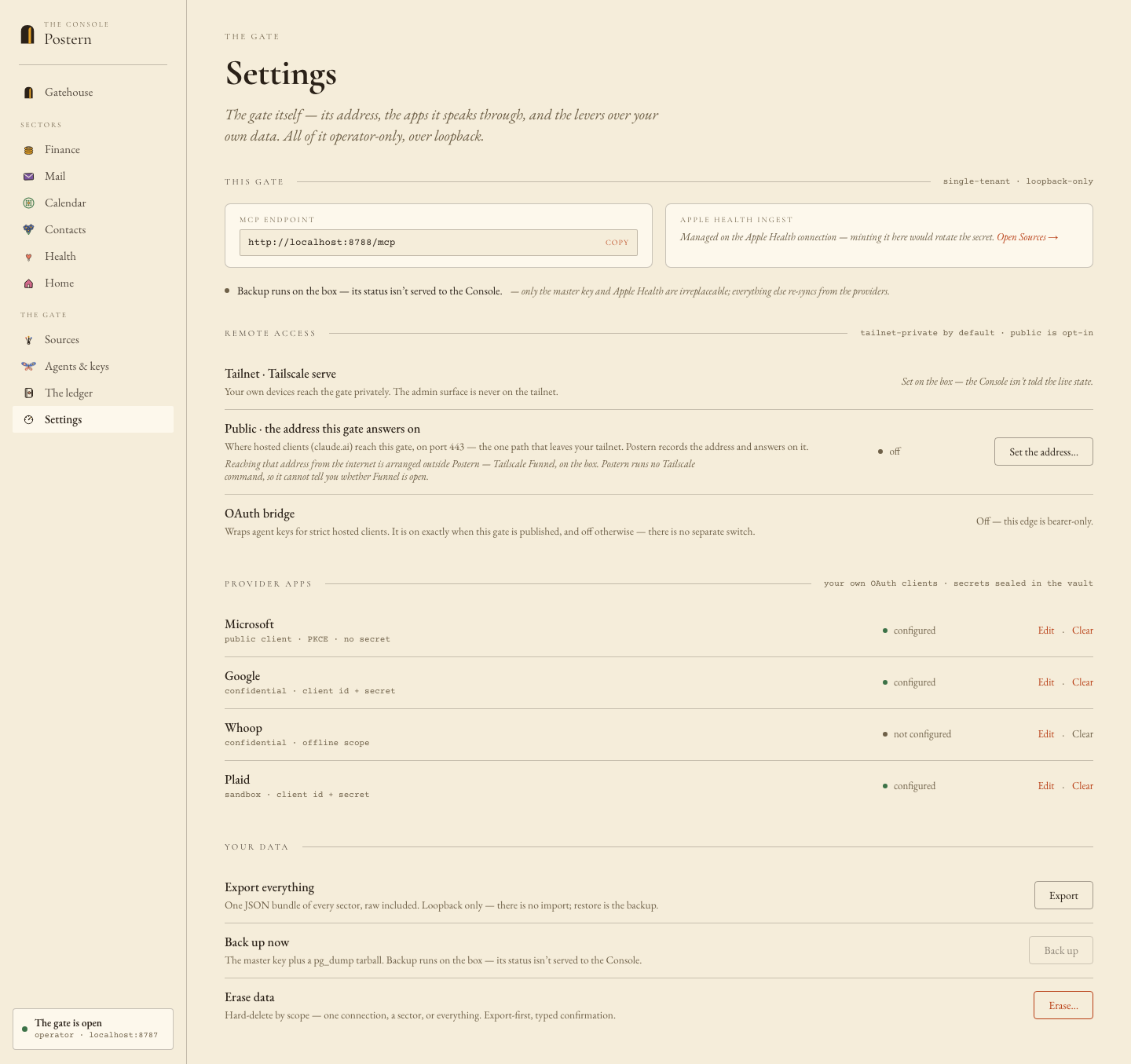
claude.ai and ChatGPT connect from the vendor's own cloud: they can never reach a tailnet, and they egress on port 443 only. Publish the MCP edge — never the REST edge on 8787 — then Console → Settings → Remote access → save the bare origin: scheme and hostname, nothing after — no path (the gateway refuses one) and no port, never :443, because the value is echoed verbatim in the OAuth discovery documents where an exact string match decides. Then restart the gateway from the install folder: docker compose restart app. The bridge is on exactly when an address is published; there is no separate flag.
4
Verify from OFF your tailnet — then don't thrash
Probe from a device that is not on your tailnet — a phone on cellular is the easy one; from inside, you cannot tell Funnel from serve, so an inside probe proves nothing. Only when all three answers read correctly do you touch any connector UI. And know that claude.ai caches discovery verdicts — including failures — for about five minutes: fix, wait, then try once.
5
Connect a hosted client — the origin plus /mcp
claude.ai → Settings → Connectors → Add custom connector; for ChatGPT, field guide № 11 walks its longer path end to end. The URL you paste is your published origin plus /mcp — the gate's saved address is the bare origin, and the address you hand a client adds exactly that suffix; the Console's hosted-connect card shows the exact value to copy. When the client asks you to sign in, the login is an agent key: mint one in the Console under Agents → new — name it, tick the sectors it may reach, and set an expiry, because a key that lives in someone's cloud must be able to end itself. The key shows once — stash it before you copy anything else. Revoking it later kills every token derived from it, at once.
WHAT STANDS WHEN YOU FINISH
What the internet can now reach is precisely eight routes on one port: three static discovery documents carrying no user data, a sign-in page, the sign-in POST that an agent key gates, a PKCE-bound token exchange, one rate-limited registration write, and /mcp itself — bearer-gated, your data behind it. Turning it off is two halves: tailscale funnel --https=443 off, and clearing the address in Settings, then a restart — one half without the other leaves either a public surface of 404s or a bridge advertising an origin nothing can reach. Then tailscale serve status --json must show no AllowFunnel key at all.